 XL1
AI that earns its keep.
Intelligence in the flows that move money, not a chatbot on the side. It answers from your own reports, cites them, and only sees what the person asking may see.
Six ways AI works in XL1
Answers with sources
Ask a business question; the answer ends with the reports, parameters and window it came from.
Agreed metrics
Questions are matched to your approved metric definitions, and the figures are recomputed before you see them.
Insights on a pivot
The pivot studio turns the rows you pulled into insights, suggests the charts that show them and publishes to a dashboard.
Lead readiness
Every lead carries a readiness score, so reps work the ones closest to buying.
Emails that read well
Rewrite pasted text as a designed email, and fill the values a template is missing.
Your AI tools, too
Claude runs your reports, pivots and imports through the XL1 connector, under the same role rules.
An analyst on every team
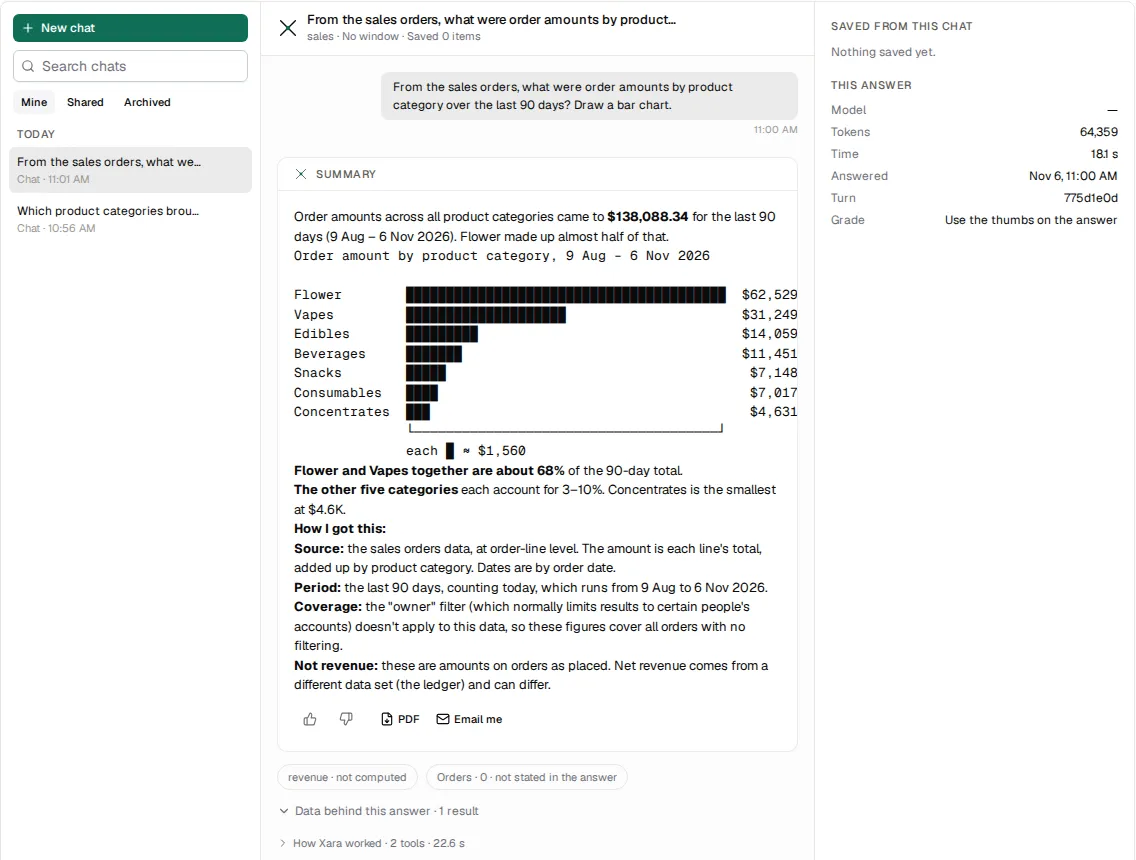
Xara is the assistant built into XL1. Ask in plain words, in the app or on a phone, and get an answer you can check and keep.
- Answers from the reports your team has published to Xara, with the agreed definition of each measure
- Charts and tables in the answer, and the data behind every chart one click away
- Each answer says where its figures came from: the report, the period and the rows it read
- Save an answer to your home page, the report library or the pivot studio, or send it as a PDF or email
- Every chat is kept, so you can reopen it next week and pick up where you left off
Questions teams ask Xara
- A rep before a visit: how has this store ordered over the last quarter, and what did it stop buying?
- A sales manager on Monday: which of my team's accounts are behind last year?
- The order desk: which orders are on hold, and why?
- Finance: which customers carry the most open receivables?
Bring XL1 into Claude
Connect Claude to your XL1 workspace with one address and your own sign-in. Claude then works with your live data, not a copy.
- Run a saved report by name, or ask for a cut of sales and get a pivot built from your data
- Save what Claude builds as a report, or put it on your home page
- Start an order or import a file of records, with a preview to confirm before anything is written
- Checks its figures against your agreed metric definitions before presenting them
The same rules as the app
- Each person signs in as themselves; Claude sees only what their role lets them see
- An administrator switches the connector on or off per person, and chooses the data they may reach
- Every change Claude makes goes through the same validation and audit trail as the screens
Safe by design
- AI works through the same service operations, rules and permissions as the screens
- Each person's assistant access is set per user, with the data views they may use
- Every assistant and connector turn is recorded with its prompt, tools and answer, for review
- Agents connect with a verified sign-in and act only on the account they signed in to
Included in the work
- Answers in seconds from the reports your team already trusts
- No export to a spreadsheet to find out what changed
- The same answer for everyone who asks the same question
See XL1 run your business.
A 30-minute demo on your own workflow, not a slideshow.