 XL1
Win the business, run the business, book the business.
CRM, order management and the ledger behind them on one data model, with reporting in every module.
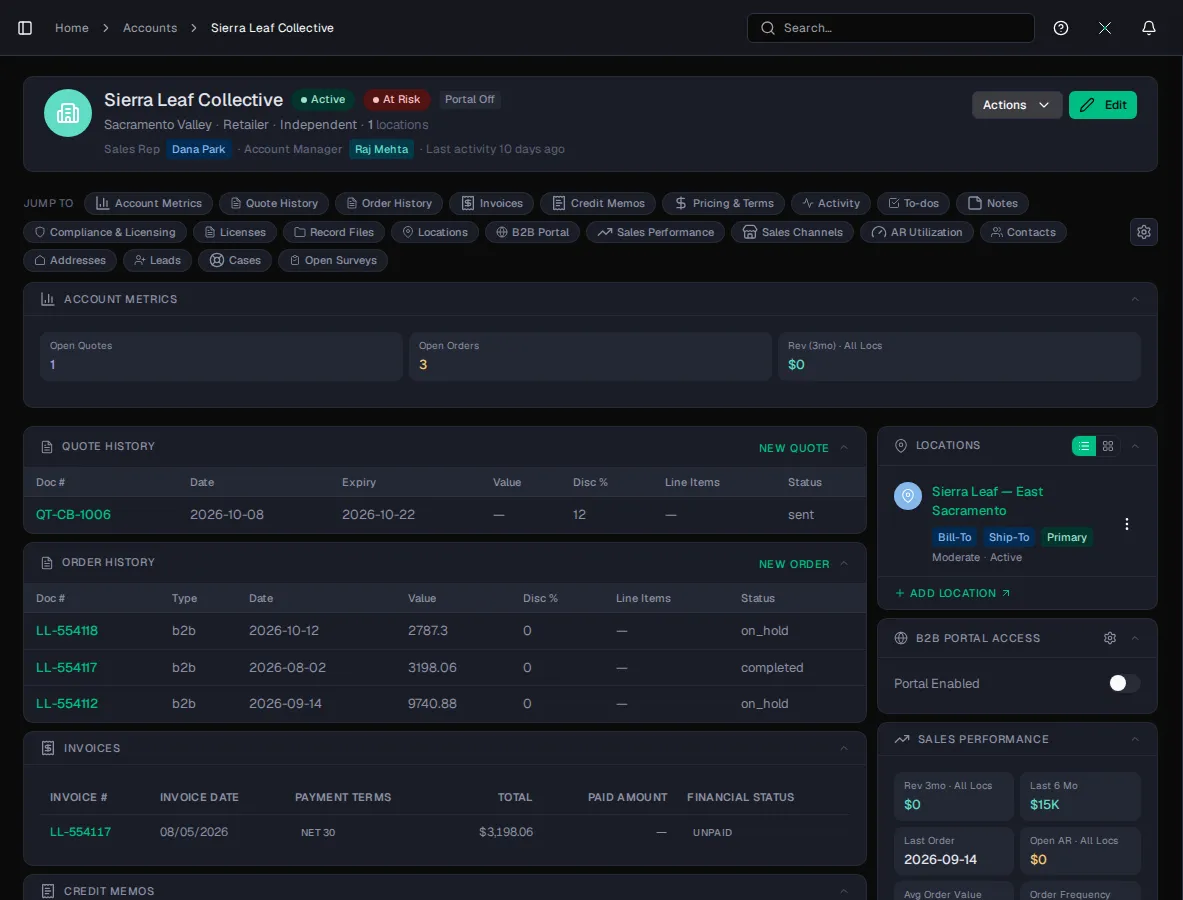
Follow one order through XL1
Lead
A lead moves through its pipeline to Won.
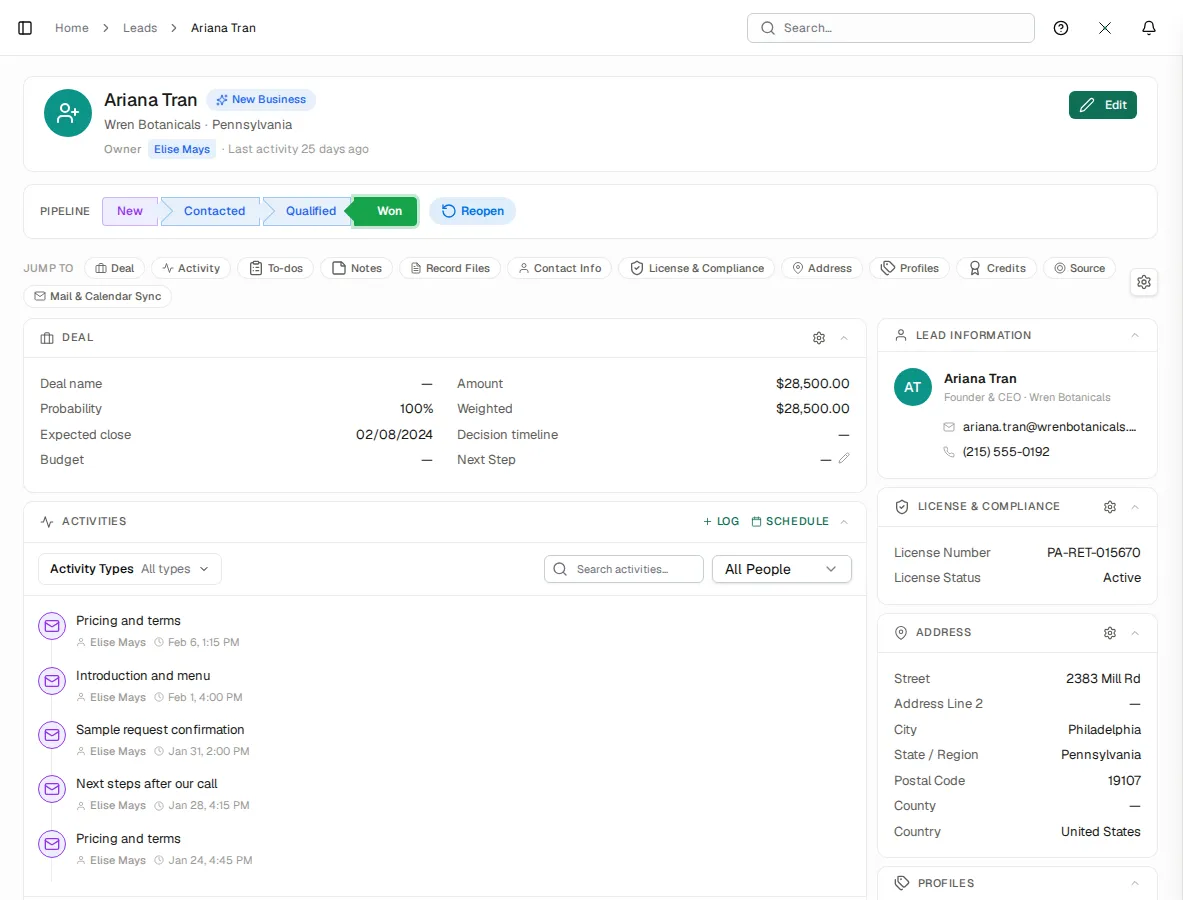
In the product: Leads Quote
The accepted quote, priced from the account's books, becomes an order in one click.
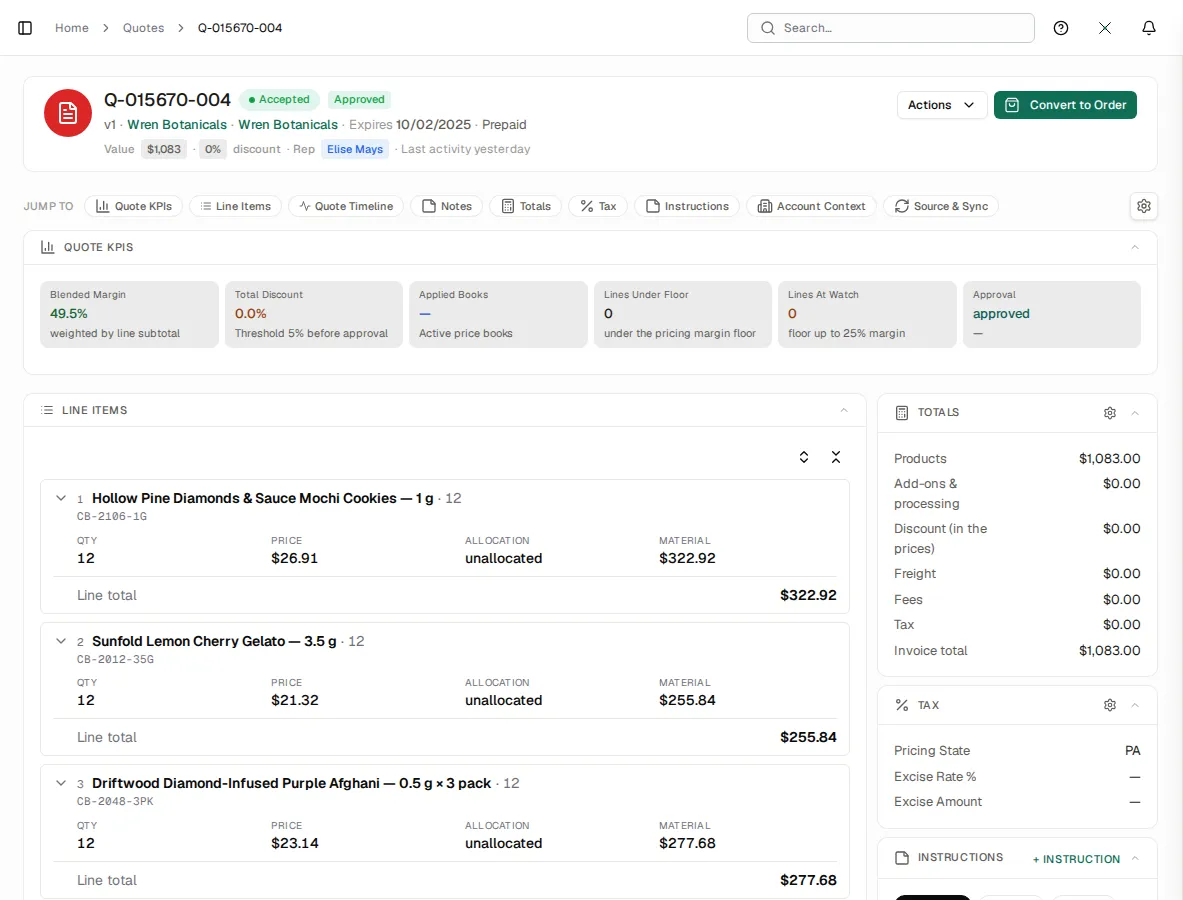
In the product: Quotes Order
The order carries the quote's lines, prices, fees and tax.
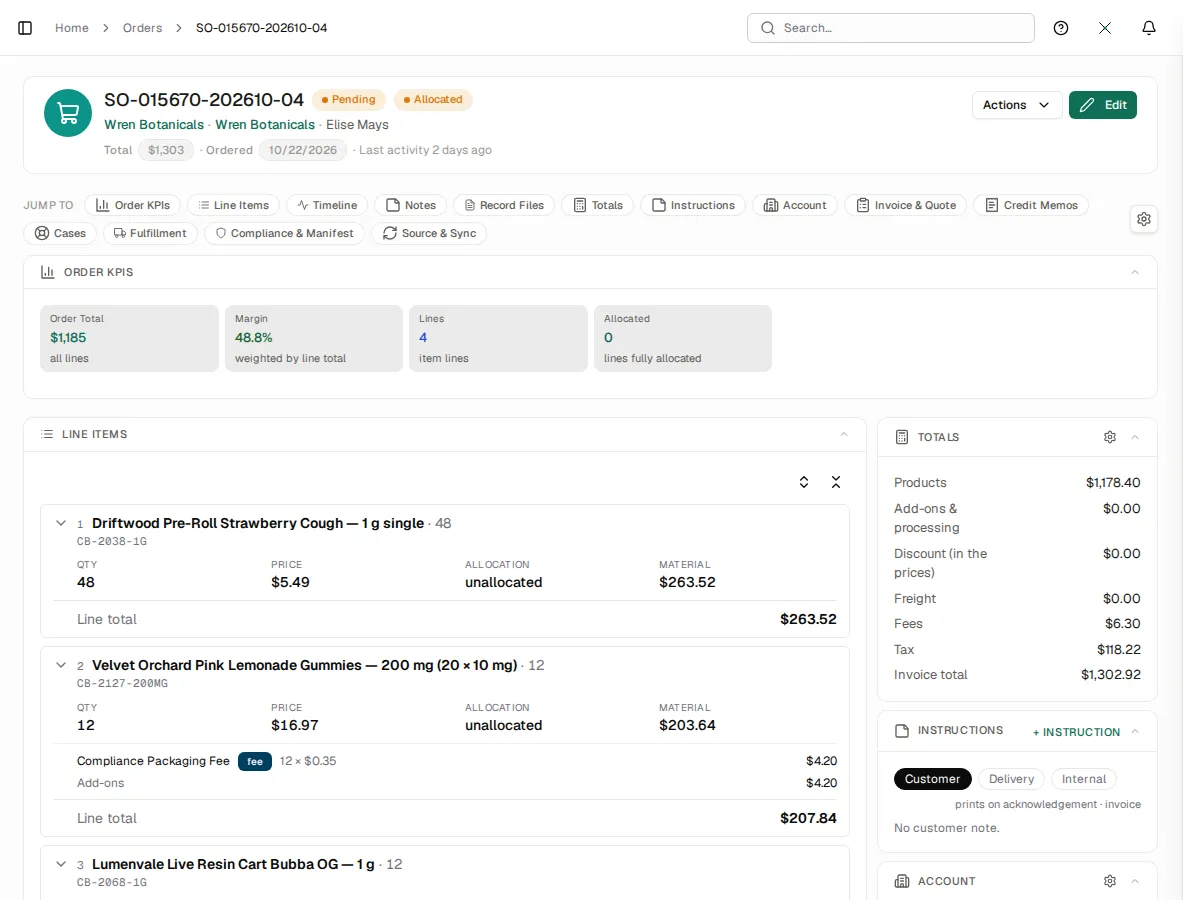
In the product: Orders Hold check
Hold checks stop an order from an account that is past due or over its limit.
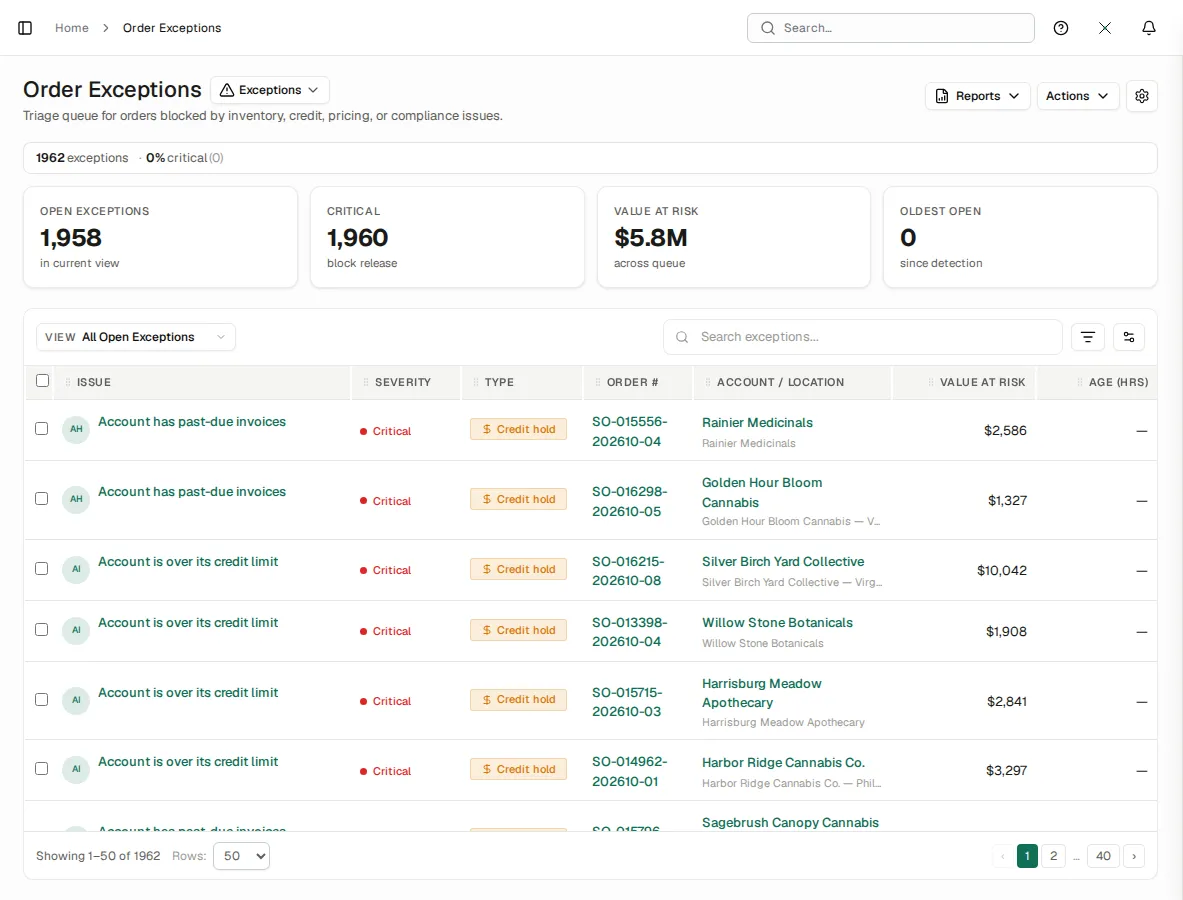
In the product: Order Exceptions Journal entry
Shipping the order posts a balanced cost entry, shown on the order's Journal Entries card.
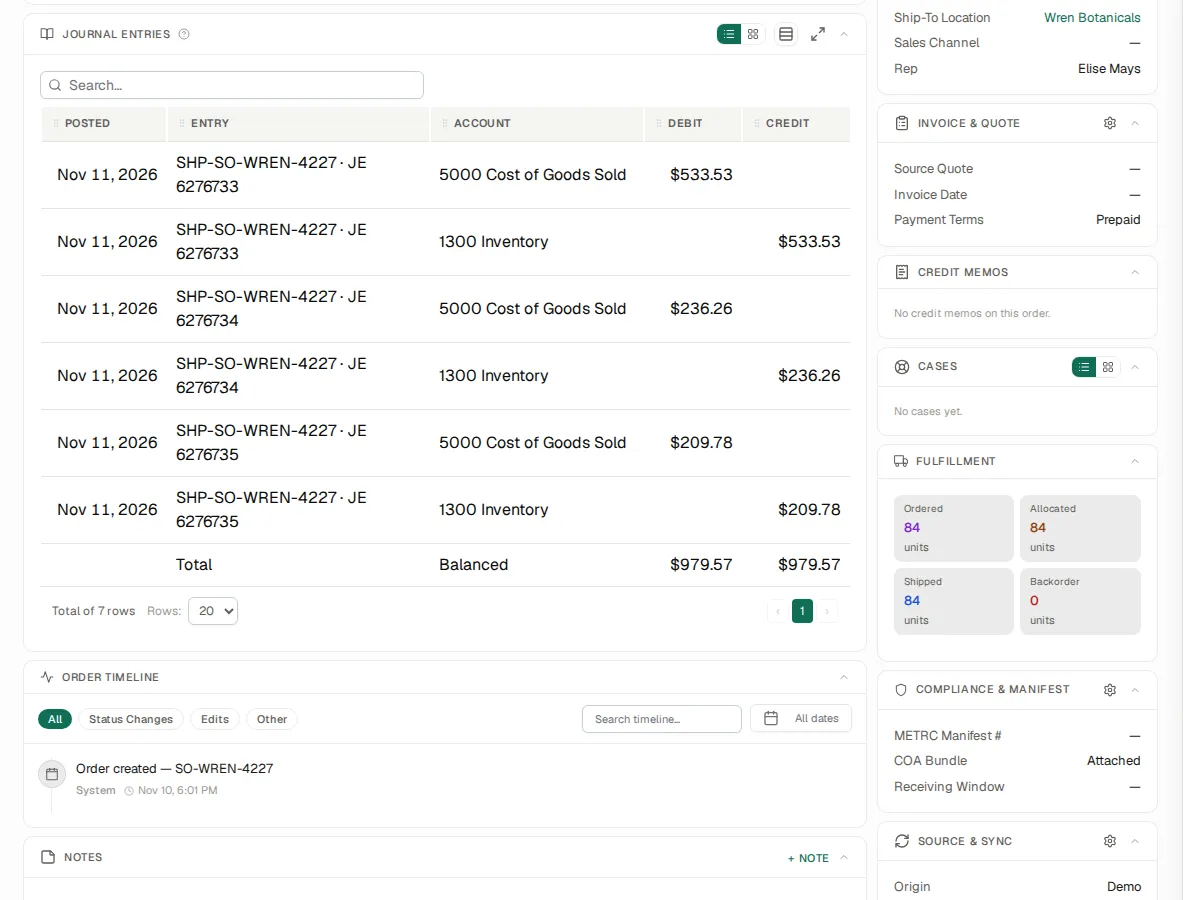
In the product: Orders
The jobs it does, not the modules it has
Grouped by the work your team does each day, each with the screen that does it.
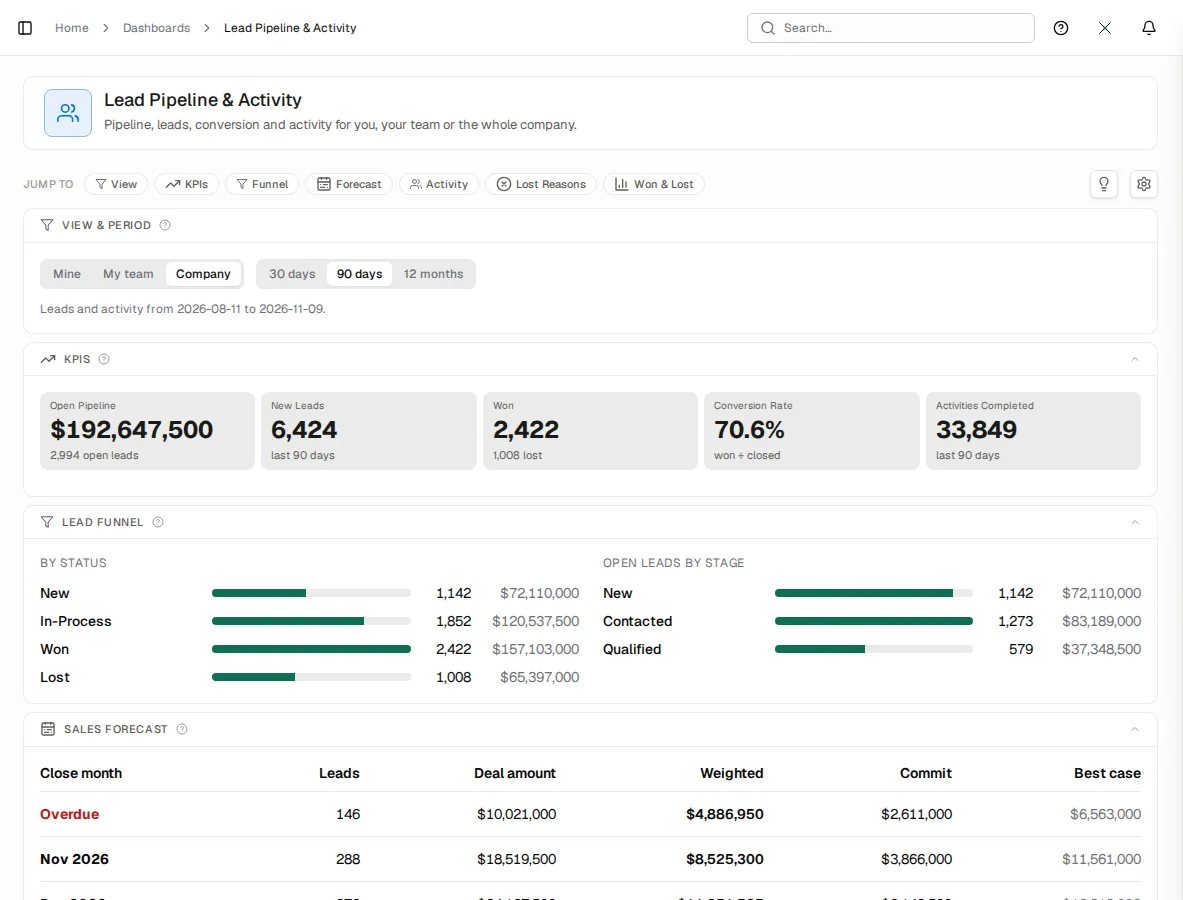
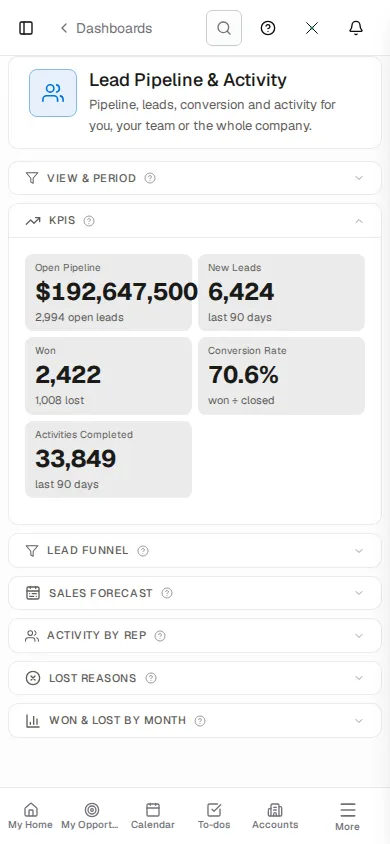
Work every lead to a decision
Stage actions and reminders move each lead along its pipeline, so none waits on someone's memory.
In the product: Lead Pipeline & Activity
Quote at the customer's own prices
Lines priced from the customer's price book, with state tax on the quote.
In the product: Quotes
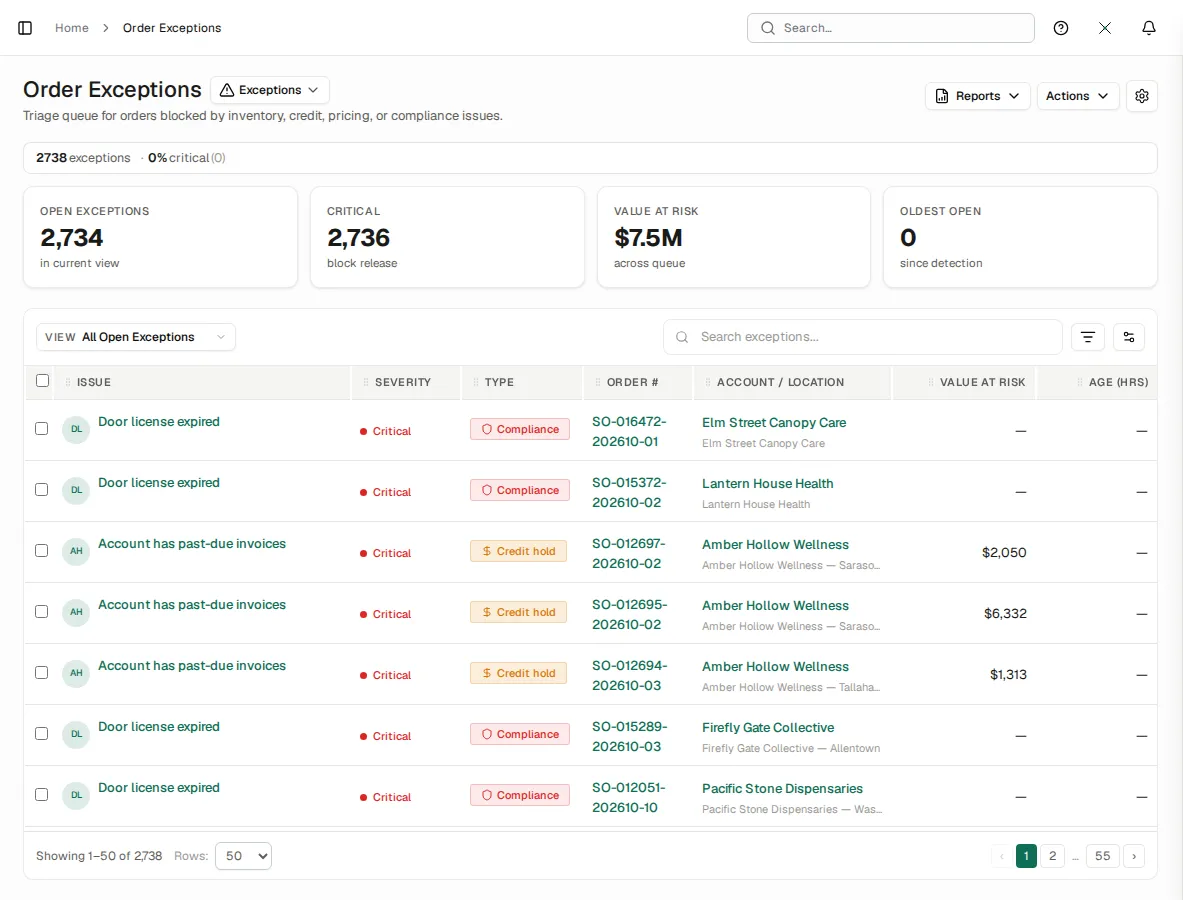
Stop an order for an expired license
An order to a store whose license has lapsed is held before it ships.
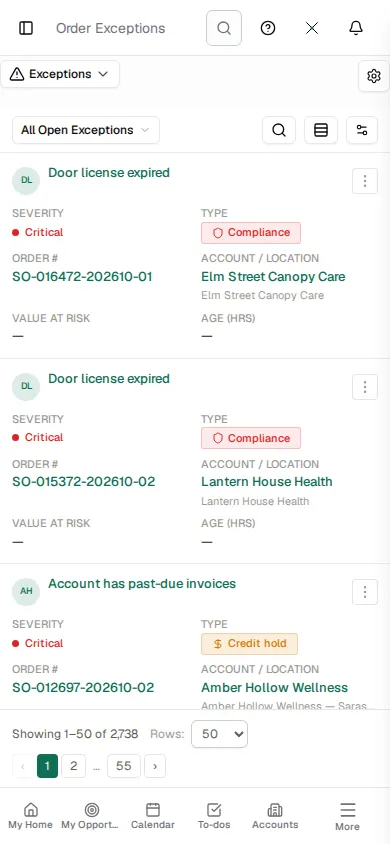
In the product: Order Exceptions
Hold an order that is past due or over its limit
Credit and past-due checks open an exception a person clears.
In the product: Order Exceptions
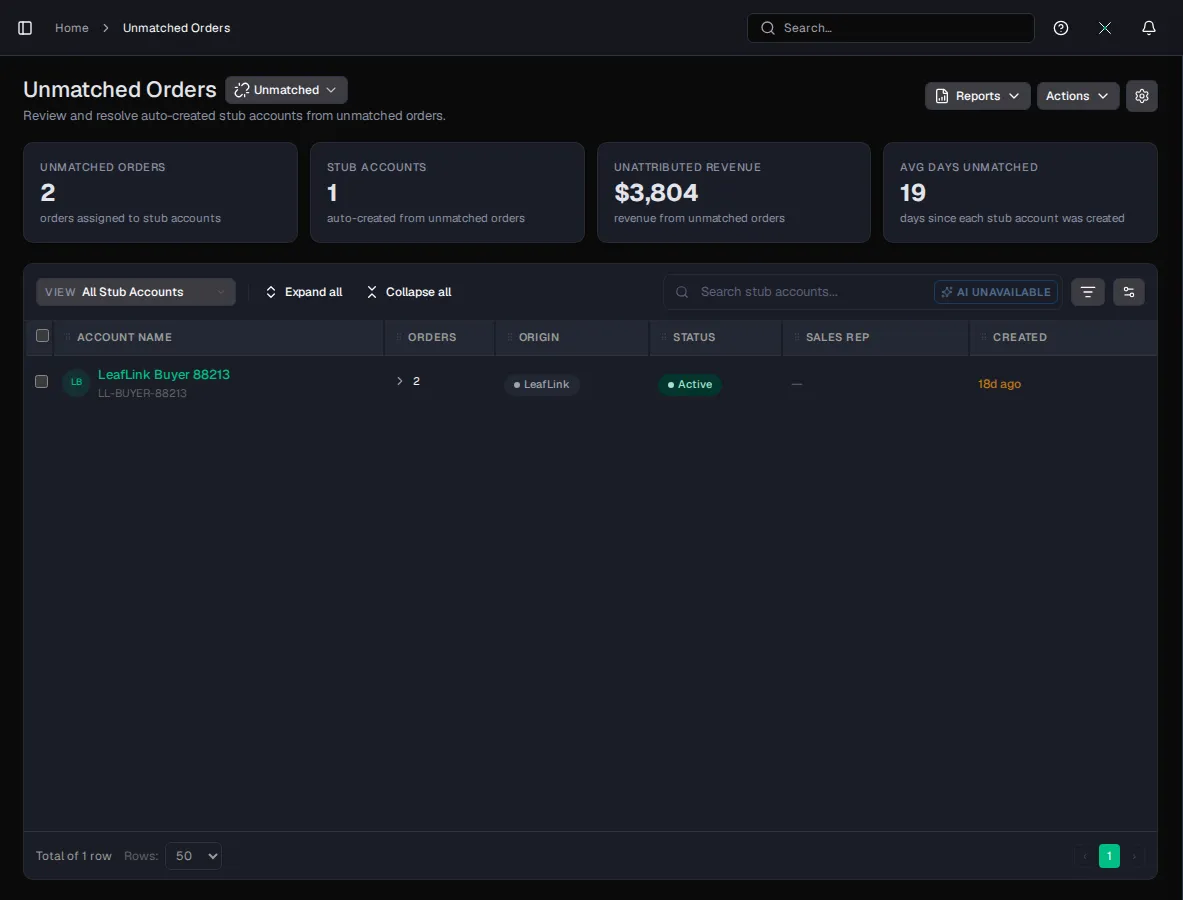
Take every wholesale channel's orders in one book
LeafLink, Nabis, KSS and Apex Trading orders land on the right product and store.
In the product: Unmatched Orders
See what an order posted to the ledger
The order page lists the journal lines its shipments posted, debits and credits, with a balanced total.
In the product: Orders › Journal Entries
Fix a posting that failed
An event that cannot post queues for a person; fix the rule and it re-books.
In the product: GL Exceptions
Ask Xara, see the report it used
Answers come from your own reports, cited, under each person's permissions.
In the product: Xara
Answer a question without the export
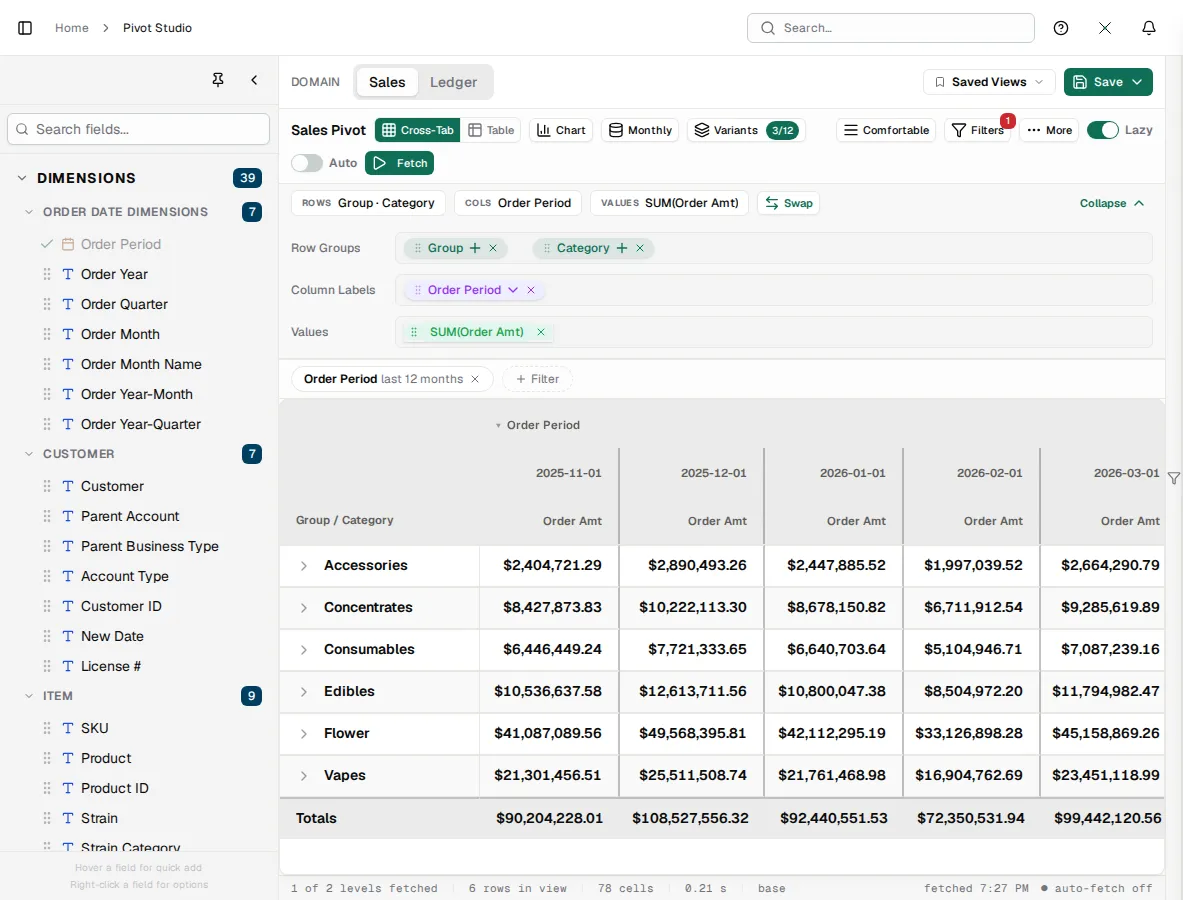
Cut sales, orders, inventory and the ledger by any dimension over live data, then publish the view as a report.
In the product: Pivot Studio
Win the business
A pipeline that runs itself and a customer record that sees the orders.
Scored and routed
A readiness score on every lead, pipeline stage actions and reminders, and web forms that feed the pipeline.
One customer view
Contacts, quotes, orders, receivables and credit on the same record; duplicates caught on entry.
Priced and sent
Lines priced from the customer's price book, with tax, and email templates with AI help on the wording.
Targets and surveys
Sales quotas with the gap to target, and surveys you build and analyse in one place.
Run the business
Every order in one book, checked before it ships.
Every channel
Manual entry, file import, the order API and partner connectors land in one order book.
Held for a reason
Credit limit, past-due and partial-shipment checks open an exception with the reason on it.
Rules, not memory
Price books, promotions and volume tiers applied on every order and quote line.
In view
Open orders, late shipments and order cycle days on the dashboards your team opens each morning.
The books, built in
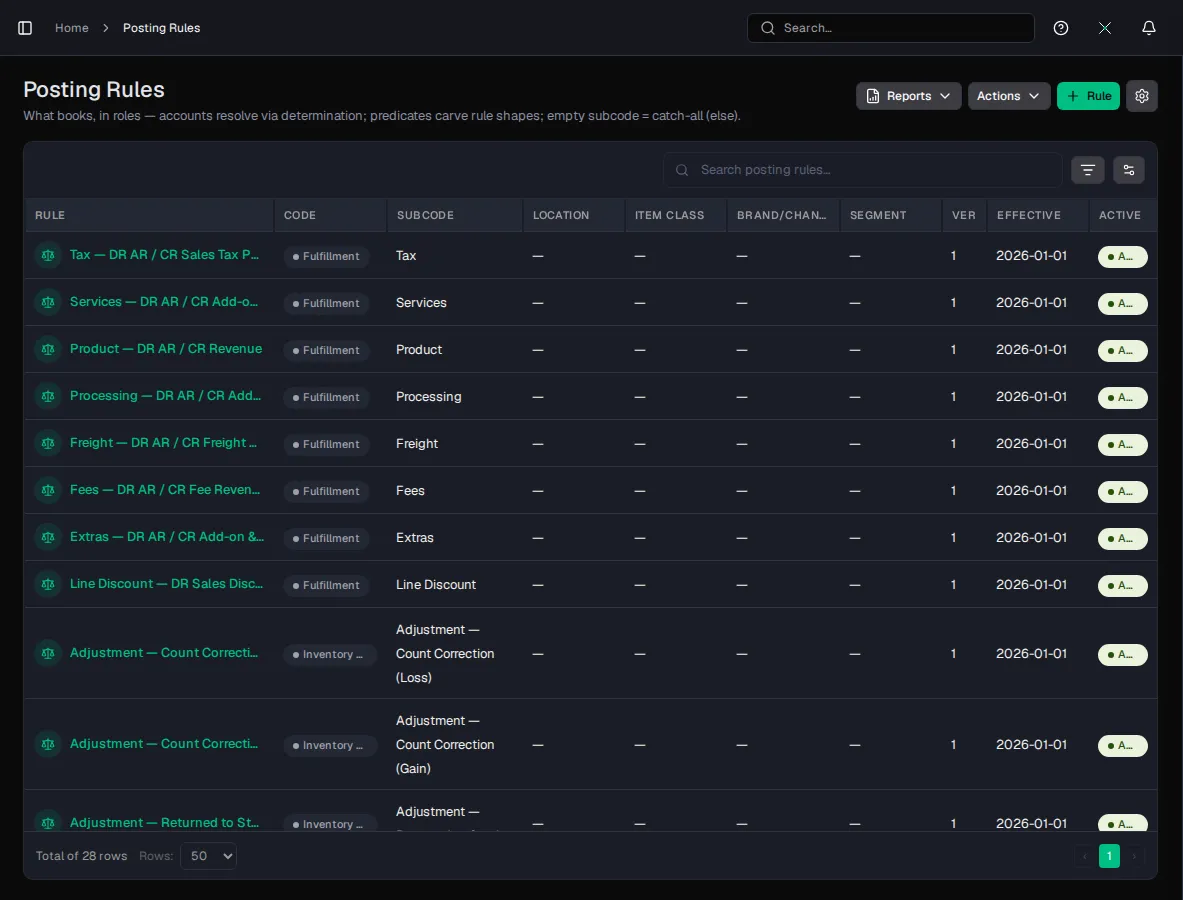
Every order posts to the general ledger through a chain you configure.
Transaction codes
Each kind of economic event carries its own code.
Posting rules
Rules route each event to the accounts in your chart of accounts.
GL exceptions
An event that cannot post queues for a person; fix the rule and it re-books.
Answers without the export
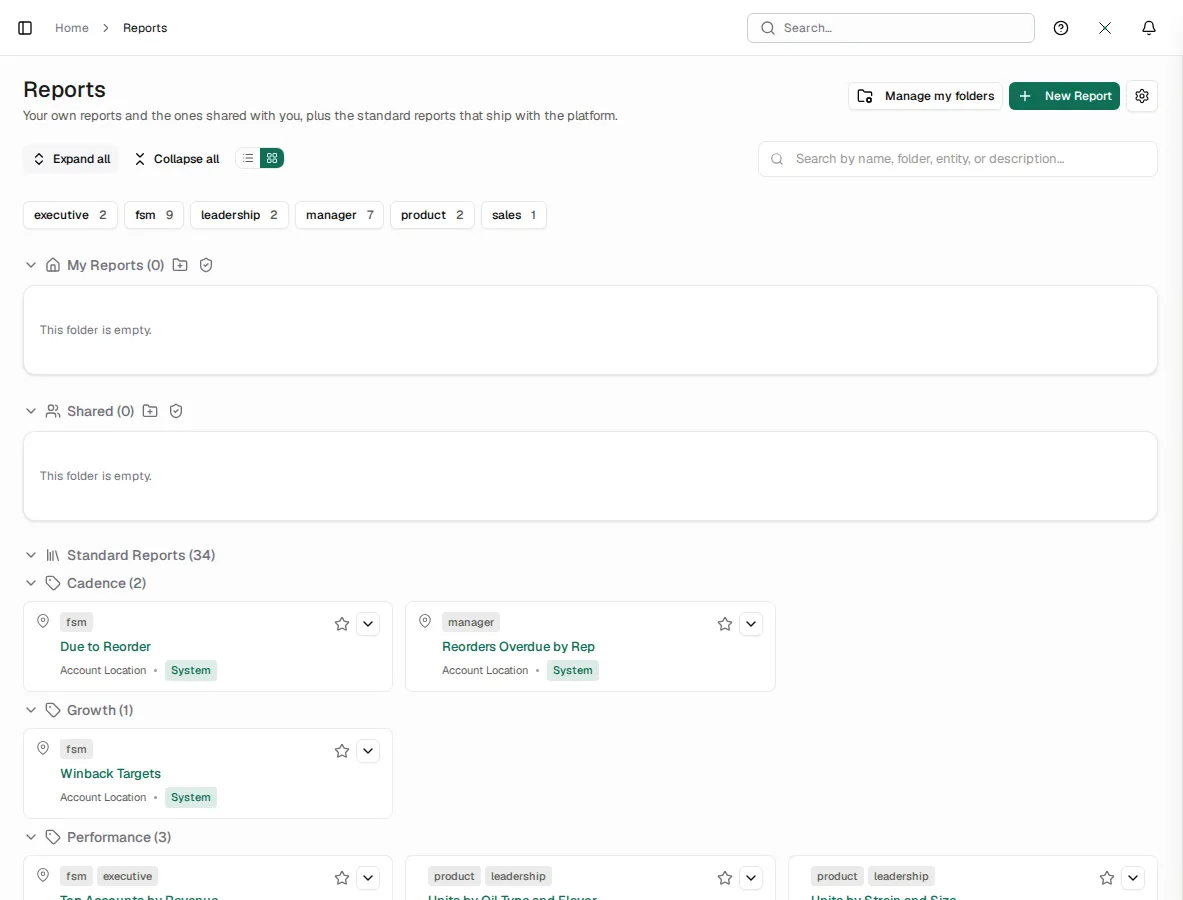
A report library, dashboards and a pivot studio over live data, delivered on a schedule.
- Role-based home pages with the measures each person owns
- A shared, tagged report library and scheduled report emails
- Each person sees their own rows, their team's or everyone's, as their role allows
Advanced reporting without a data team
Drag in the measures and dimensions you need across sales, orders, inventory and the ledger, and the studio builds the cross-tab from live data. No export, no spreadsheet to keep in sync.
- Turn a pivot into a chart: bars, lines, combos, heatmaps, treemaps and funnels
- AI insights explain what changed and suggest the charts that show it
- Save a view, publish it as a report, or put it on a dashboard or home page in one click
- Ask Xara or Claude for the same cut in plain words and get the same figures
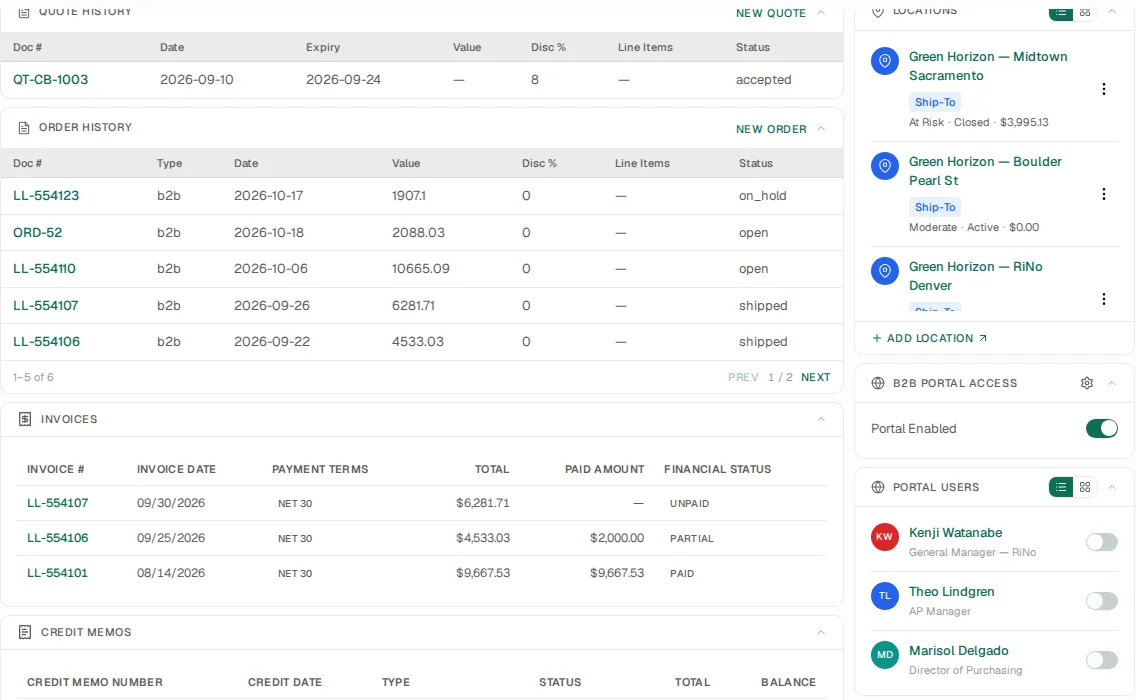
Your customers, signed in
A B2B portal on the same platform: your customers sign in to their own account, and your team stays in control of who gets in.
- Switch the portal on per account, then invite the account's contacts by email
- Each contact signs in with their own login and sees only their own account's records
- Give each contact a portal role when you invite them, and change it at any time
- Publish chosen reports to the portal; they run over that customer's rows only
Connects to what already works
Import on every list, plus connectors for the systems you keep.
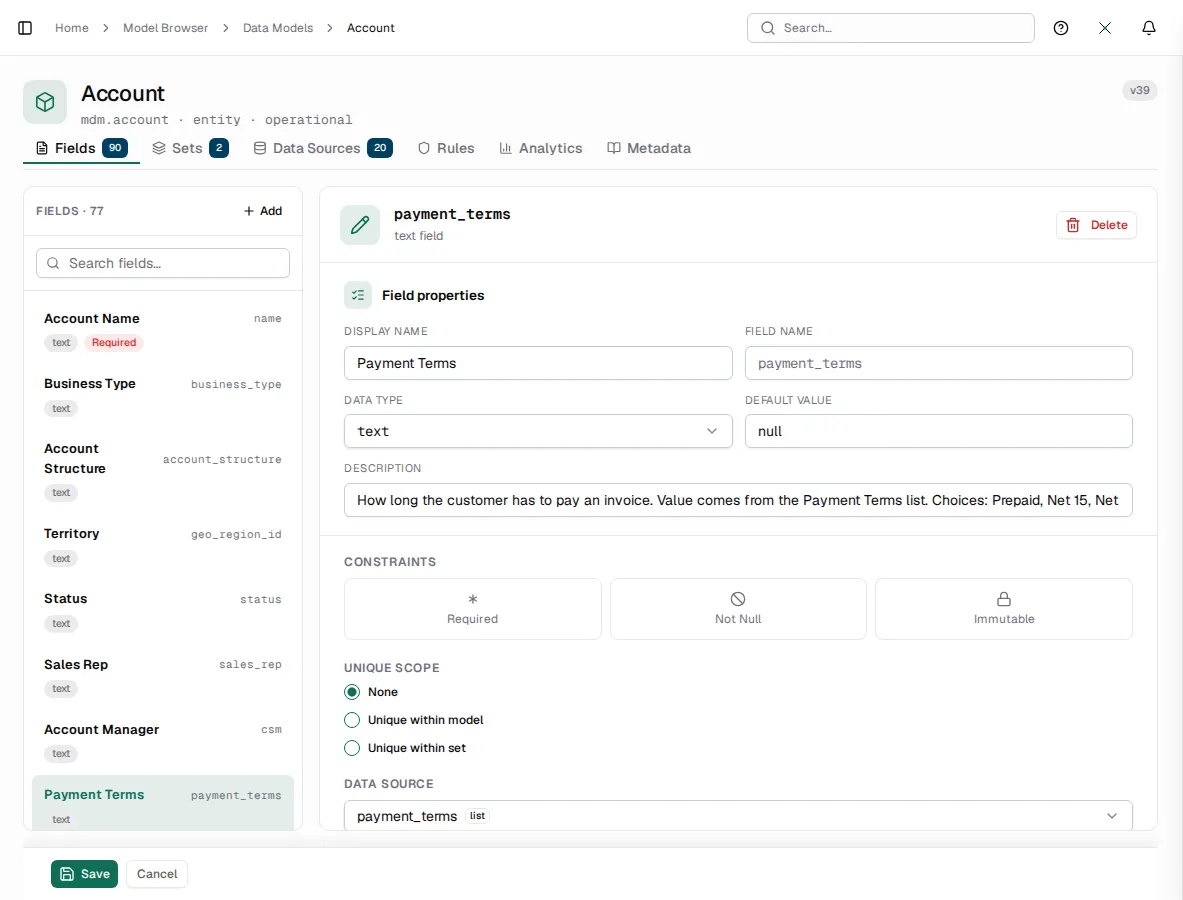
Configuration, not code
Record types, fields, rules, lookups and screens are configuration in the Studio, and an industry pack adds its own on top of the same platform.
How you go live
Configure
Shape fields, lookups and screens in the Studio.
Import
Bring in accounts, products and prices from a file.
Connect
Turn on the connectors for your channels.
See XL1 run your business.
A 30-minute demo on your own workflow, not a slideshow.